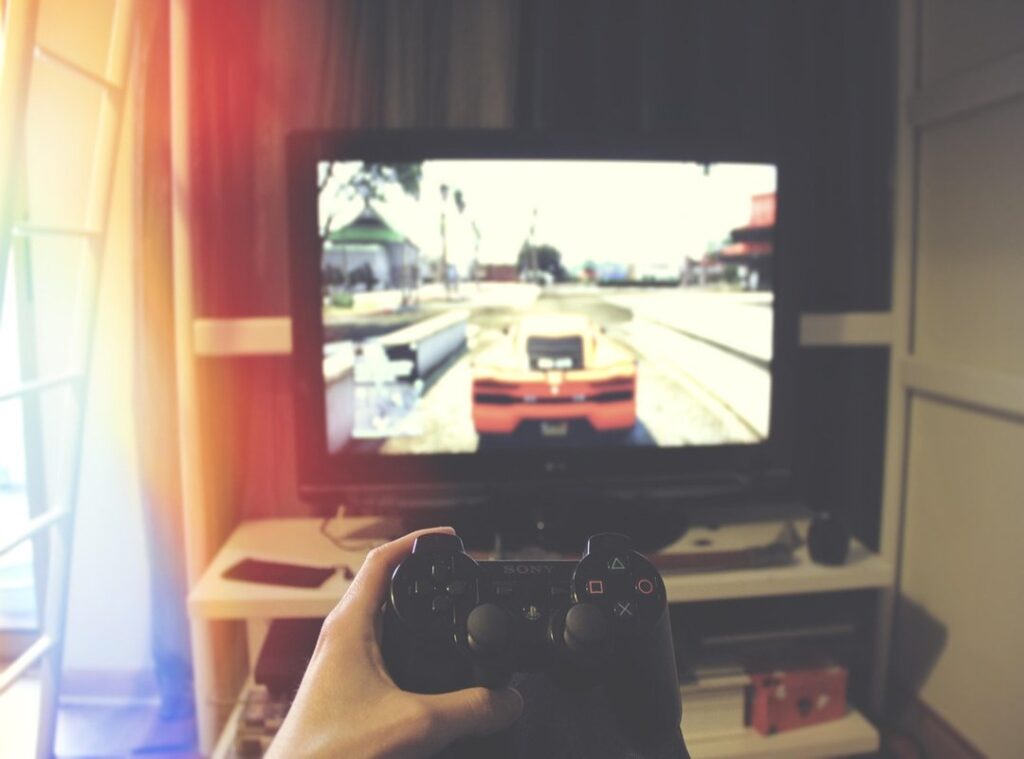
Input lag drives me crazy. Missing shots and feeling outpaced in competitive games? That’s frustrating.
I’ve been there and know how sub-optimal response times can ruin your experience, no matter how skilled you are.
In this article, I’ll help you improve gaming reflexes by showing you how to identify and eliminate latency issues across your hardware, software, network, and even your personal techniques.
I’ve spent years optimizing my gaming setup and mastering the mechanics, so I’m sharing takeaways that go beyond the usual advice. This isn’t just fluff; it’s a straightforward guide packed with actionable steps.
You’ll find practical strategies that deliver measurable results.
My goal is to give you the tools to gain that competitive edge.
Ready to level up your gaming response time? Let’s dive into the solutions that will transform your gameplay.
Gaming Response Time: Every Millisecond Counts
Ever noticed a slight delay between your move and what happens on screen? That’s gaming response time. It breaks down into three main parts: input lag, display lag, and network latency.
Input lag is the delay between your button press and the game acknowledging it. Display lag is what happens between the game receiving your input and showing it on the screen. Then there’s network latency, which is the time data takes to travel between your device and the server.
Why does this matter? Because in fast-paced games like first-person shooters (think Call of Duty), even milliseconds can make or break your performance. Missing a shot or getting fragged because of delay is no fun.
And for real-time plan games, it’s all about quick thinking and faster reactions. These lags mess with both.
You want to improve gaming reflexes? Addressing these lags is key. Faster response times give you a competitive edge, helping aim, dodge, and react precisely.
Speaking of gaming strength, check out building mental fortitude gamers. Trust me, mastering milliseconds is important for leveling up.
Speed Matters: Upgrade Your Gaming Gear
If you’re serious about gaming, you’ve probably wondered if your hardware is holding you back. to what really makes a difference, starting with your monitor. The refresh rate and response time are key. If your monitor’s refresh rate isn’t at least 144Hz, you’re missing out.
Response time matters too. Look for something under 1ms GtG. And don’t forget input lag.
You want it as low as possible. Features like FreeSync or G-Sync can help smooth things out.
Now, input devices. Your mouse isn’t just a clicker; it’s an extension of you. DPI and polling rate are key for precision.
Higher DPI isn’t always better (find) what works for you. A lightweight mouse with a good sensor can improve gaming reflexes.
Keyboards need attention too. Switch types (like mechanical) and actuation points impact how fast you hit those spells. Debounce time is often overlooked but important to prevent double-tapping errors.
Let’s not ignore the backbone (your) PC. Single-core performance in CPUs affects game speed. High frame rates demand a strong GPU.
Speedy RAM (16GB is a sweet spot) and SSDs cut down loading times.
For competitive gaming, configure your setup to minimize latency. It’s not just about having the best gear but knowing how to use it effectively. So tweak those settings, upgrade what you can, and watch your gaming soar.
Fine-Tuning the Digital Arena: No More Delays
You want to improve gaming reflexes, right? Let’s start by tackling your operating system. Kill those useless background processes.
They’re just sapping your RAM. Manage startup items too. Only keep what’s important.
Your drivers? Keep them updated. I’m talking about GPU, chipset, peripherals (the) works.
In-game settings have their own quirks. V-Sync? Not always your friend.
Alternatives like NVIDIA Reflex or AMD Anti-Lag can be game-changers. Literally. Mess with resolution, graphical fidelity, and frame rate caps.
Find that sweet spot between eye candy and performance.
Network latency (or ping) is the sneaky culprit behind lag. Ditch Wi-Fi for wired Ethernet. Seriously, it makes a difference.
Your router settings can also be optimized. Look into QoS (Quality of Service). Choose the right servers.
It all adds up to a smoother experience.
Background applications are another thing. They hog resources and slow you down. Antivirus software isn’t immune either.
Keep it in check. System resource management is key to low latency.
Here’s a pro tip: create a checklist. Go through your software and network configurations step by step. You’ll see tangible improvements.
Trust me.
Oh, and if you want to dive deeper into game strategies, check out Mastering Game Strategies Pro. It’s packed with takeaways.
In the end, fine-tuning isn’t just about tweaking settings. It’s about understanding how each component affects your play. Once you get that, you’re on your way to dominating the digital arena.
No more excuses. Just results.
Optimizing Your Gaming Environment: Beyond the Electronics
You ever think your gaming setup could be slowing you down? Trust me, it’s more than just the hardware. A well-thought-out physical setup is like having a secret weapon.
It can improve gaming reflexes and keep your mind sharp during those long sessions.
Let’s start with chairs. I’ve seen too many gamers skimp on this. A comfortable chair isn’t just a luxury, it’s a necessity.
You need support to reduce fatigue and stay focused. If your back’s screaming, your game is tanking. Same goes for desks.
They need to be at the right height to allow swift and precise movements. Ever tried gaming on a cramped desk? It’s a mess.
Now, monitor placement. Too high, too low, or at a bad angle, and your eyes are going to suffer. It should be at eye level and about an arm’s length away to minimize strain.
Lighting and sound matter too. A distraction-free environment helps you process information quicker. Decluttering your space helps keep your mind clear.
These tweaks create a space that’s all about performance (and) winning.
Dial Up Your Reaction Speed: The Human Factor
Forget the tech for a second. Let’s talk about you (your) skills, your conditioning. Sure, improving gaming reflexes isn’t just about fancy gear.
It’s you, the player, who makes it happen. How? By putting in the time and effort.
I’ve used online aim trainers like Aim Lab and Kovaak’s. They’re fantastic for zeroing in on reaction time. Reflex games and practice routines?
Yes, those too. Consistent practice and repetition are key. They build muscle memory and pattern recognition, like a well-oiled machine.
Physical fitness matters. Don’t scoff. It’s not just about lifting weights or running marathons.
Adequate sleep and good nutrition give your brain the boost it needs. You want fast reflexes? Feed your brain well.
Mental focus is another game-changer. Stress and tilt during intense sessions? They’re your worst enemies.
Keeping a cool head directly links to better in-game responsiveness. But you already knew that, right?
So, what’s stopping you? Start today. Get a routine.
Mix training with physical and mental conditioning. It’s your game, your rules. Make them work for you.
It’s all about deliberate practice. The results? You’ll see them in your gameplay.
Take Control of Your Gaming Experience
I know the frustration of unoptimized performance. It holds back your potential and ruins the fun. By addressing hardware, software, network, and your personal skills, you can improve gaming reflexes.
A complete approach makes every move in-game feel sharp and immediate. Start implementing these strategies right now. Track your progress and enjoy your enhanced gaming experience.
Don’t wait. Take charge today and transform your gameplay for good.